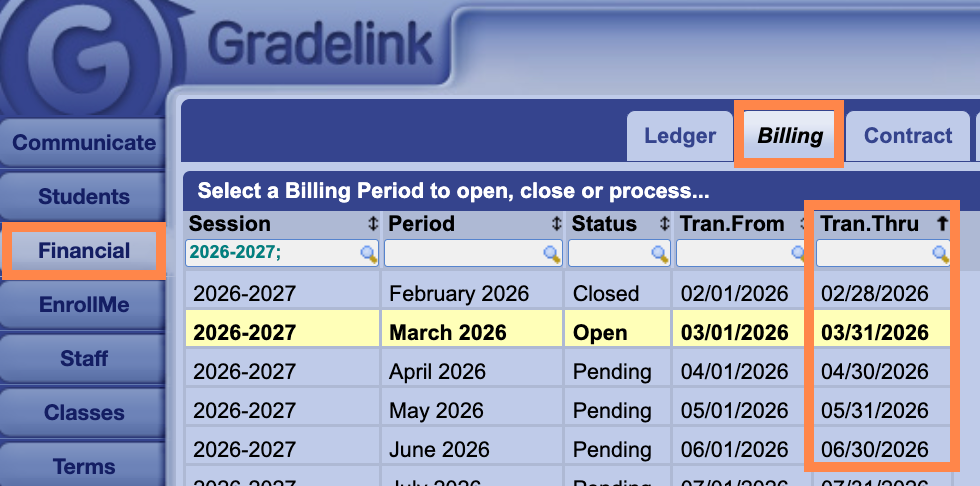
Gradelink Financial organizes records into sessions and billing periods. A session usually covers a school’s fiscal year, and billing periods usually cover each month.
To help prevent accounting errors, only one billing period can be open at a time. Billing periods move in order from Pending to Open to Closed, and the next billing period cannot be opened until the previous one is closed. As part of monthly financial maintenance, schools should close the current billing period and open the next one. This also allows monthly pay plan charges to be automatically posted to student ledgers.
Billing periods can have three statuses:
Pending: Transactions are not visible to parents.
Open: Transactions are visible to parents.
Closed: Transactions remain visible to parents.
A common reason parents cannot see updated statements is that the billing period has not been opened.
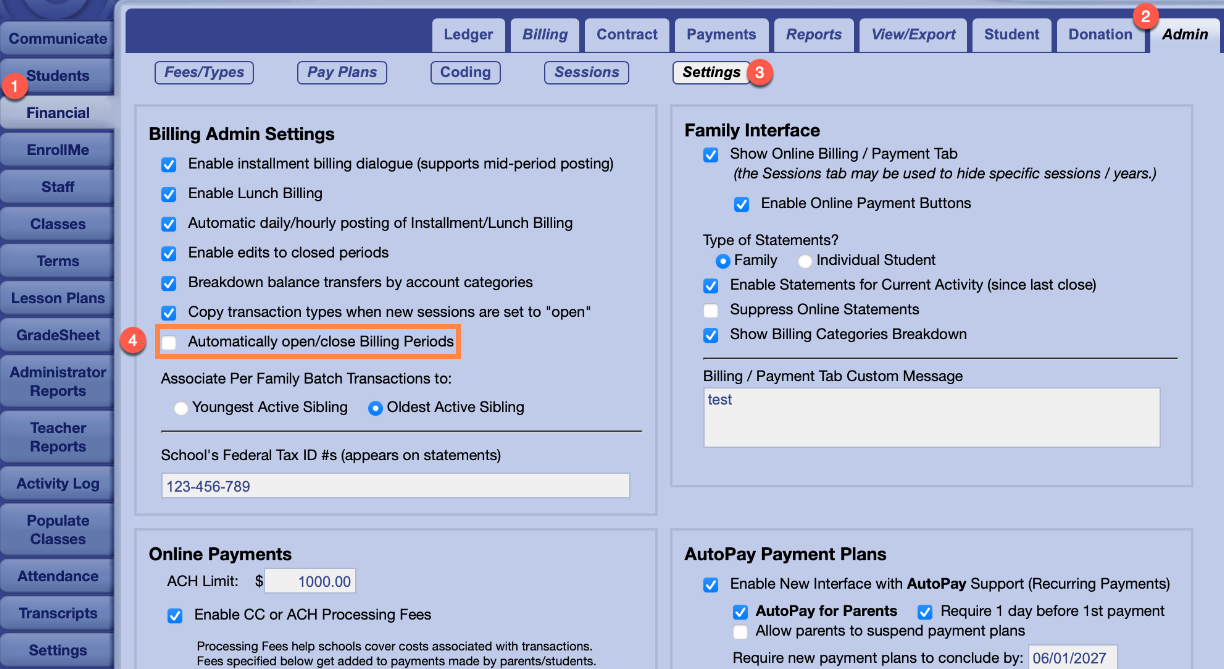
Gradelink now gives school administrators the ability to enable automatic open/close of billing periods. To enable this setting:
- Go to the Financial tab
- Click on the Admin tab at the top right of the page
- Select the Settings button
- Check the box next to "Automatically open/close Billing Periods"
When this feature is enabled, the following will occur:
1. At approximately 3:00 am (US Pacific Time) 0n the day after the Tran. Thru date, the current billing period will close and the following billing period will change from Pending status to Open. For example, at 3:00 am on April 1, the system will look for billing periods with a Tran. Thru date of March 31.
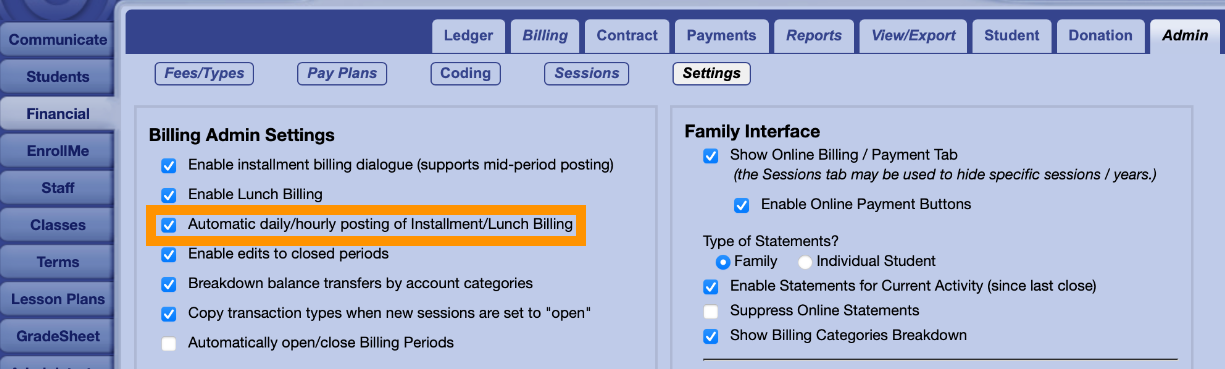
2. When the new billing period is opened, all pending contract installments will be automatically posted. Enabling "Automatic daily/hourly posting of Installment/Lunch Billing" will ensure that pending contract installments with bill on dates after the billing period's Tran. From date will automatically post every 12 hours.